
Why Your Etsy Product Pins Aren't Selling — And What Your Photos Have to Do With It
PINTEREST MARKETING

Pinterest Strategy · Etsy Marketing · Visual Content
Let me be straight with you.
You create beautiful products. You spend real time designing them, perfecting the details, getting the listing photos just right inside Etsy. Then you upload everything to Pinterest and wait.
Nothing happens. No clicks, no saves, no sales from Pinterest.
Here's the thing most people don't want to hear: your product probably isn't the problem. Your Pinterest photos are.
I've seen this pattern repeat itself more times than I can count with Etsy sellers — especially digital product creators. And once you understand why it's happening, the fix is actually pretty straightforward.
Let's get into it.
"Pinterest doesn't reward effort. It rewards visuals. And your pin has about two seconds to prove it deserves a click."
Pinterest Is Not a Product Catalog
This is the core misunderstanding that trips most Etsy sellers up. Pinterest looks like a place to share product images, so sellers post their Etsy listing photos and move on. But that's not how the platform actually works.
People don't go to Pinterest thinking "let me browse some Etsy shops." They search for things like printable wall art for a boho bedroom, minimalist morning routine planner, or budget tracker ideas for moms. They're looking for a lifestyle, a solution, a feeling — not a product thumbnail.
If your pin looks like a screenshot from your Etsy dashboard, it doesn't feel like Pinterest content. It feels like an ad. And Pinterest users can tell the difference instantly.
The first impression problem
Pinterest is essentially speed-dating for ideas. Users scroll fast, save what resonates, and keep moving. If your pin doesn't make someone pause within the first second or two, it's gone. No amount of great SEO or clever keyword work can overcome a visual that just doesn't stop the scroll.
The sellers who win on Pinterest aren't necessarily the ones with the best products — they're the ones whose pins look like Pinterest content. Lifestyle context. Real settings. Professional-feeling visuals.
What Most Etsy Product Pins Get Wrong
❌ They look like Etsy listing images. A flat screenshot or a plain white background mockup screams "product catalog." Pinterest users want inspiration, not inventory.
❌ They show the product, not the transformation. Don't show me a printable budget tracker. Show me what life looks like when my finances are finally organized. Sell the result.
❌ They don't create any curiosity. The best pins make you think "wait, what is that?" or "I need that." If someone can fully understand your product from the thumbnail alone, there's no reason to click.
❌ They blend in instead of standing out. Most Pinterest categories are saturated. A generic image gets lost in the feed. Something that looks premium and intentional actually stands out.
The Etsy Photo vs. Pinterest Photo Problem
Here's something important that most sellers miss: your Etsy listing photos and your Pinterest pins should not be the same image. They're designed for completely different jobs.
Your Etsy listing photos should:
Show product details clearly
Prove quality and craftsmanship
Answer buyer questions visually
Look accurate and trustworthy
Your Pinterest pins should:
Stop the scroll instantly
Inspire and create a feeling
Make someone curious enough to click
Show the product living in real life
If you use the same image for both — which most sellers do — you're limiting both platforms. Your Pinterest content ends up looking too "product-y" to feel native, and you get minimal engagement as a result.
Mockups Are the Game Changer Most Sellers Ignore
A great mockup does one thing really well: it sells the result, not the file.
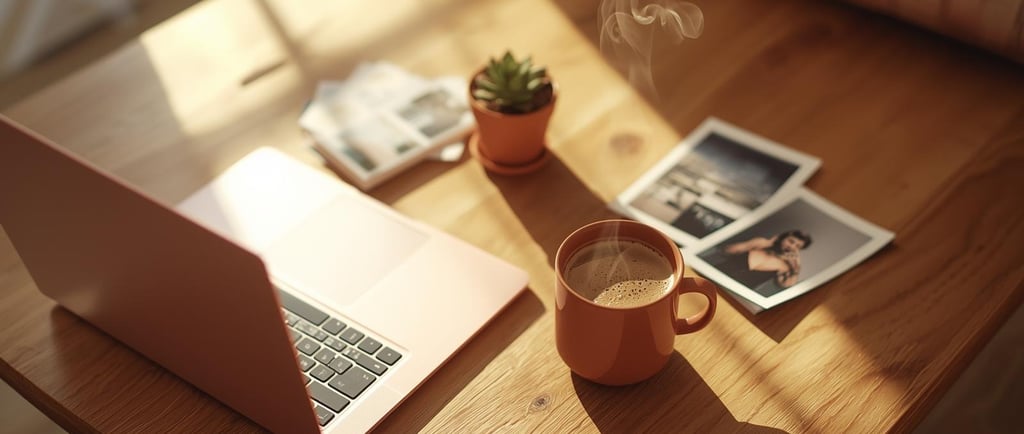
When I started placing digital products inside styled lifestyle scenes — a printable planner on a wooden desk, soft light coming through a window, a coffee mug nearby — something shifted. Saves went up. Clicks went up. Sales from Pinterest started showing up.
Why does it work? Because of how we make decisions as buyers. When you see a well-styled mockup, your brain starts imagining you using that product. You think "that would look great in my office" or "my kids would love that chart." That mental ownership creates desire. A flat digital preview just can't trigger the same response.
What a strong Pinterest mockup actually looks like
The mockups that convert well tend to share a few things in common. They show the product in a real-life setting that makes sense for the niche. They highlight the most useful or visually appealing part of the product. They feel clean and intentional without looking overly produced. And they match the aesthetic of whatever niche they're targeting — cozy and warm for lifestyle products, clean and minimal for productivity tools, bright and playful for kids' printables.
💡 Quick Tip: Create 3–5 different mockup variations for each product — different scenes, different angles, different seasonal contexts. Then rotate them on Pinterest. More variations means more data on what's actually resonating with your audience, and fresh content that keeps your profile active.
The Psychology Behind Why Styled Images Sell
This isn't guesswork — there's real psychology at work here. When someone sees a mockup that's been styled well, their brain fires off what researchers call "mental simulation." They picture themselves owning and using the product before they've even clicked.
That mental simulation is what turns a casual scroller into someone who saves your pin, clicks through to your shop, and eventually buys. A flat, unstyled image just doesn't trigger that response the same way.
Think about the difference between these two pins for a printable budget tracker:
❌ A plain image of the PDF preview on a white background.
✅ The same planner printed out and styled on a wooden desk with a pen, a coffee cup, and soft morning light — with "Finally get your finances together" overlaid in clean text.
Same product. Completely different emotional response. The second one gives people a reason to stop, to imagine, to want.
What Happens When You Fix This
The changes aren't subtle when you start using proper Pinterest-native mockups. Most sellers who make the shift see higher save rates pretty quickly — saves signal that the content is resonating before people even visit your shop. From there, outbound clicks tend to follow.
There's also a brand perception shift that's harder to measure but very real. When your Pinterest profile looks cohesive and professional — consistent lighting, consistent fonts, consistent vibe — people trust your shop more before they've read a single word about your products. That perceived credibility translates into sales.
And if you're rotating seasonal themes — making the same product look like a "back to school" pin in August and a "New Year reset" pin in January — you can keep the same evergreen products feeling fresh without redesigning anything from scratch.
Creating Better Mockups Without a Design Team
I know what you're thinking: "This sounds like more work on top of everything else I'm already managing."
Fair concern. But the process doesn't have to be complicated — and it doesn't have to be slow.
The basic recipe for a solid Pinterest mockup comes down to a few things: a clean background or scene that fits your niche, your product placed naturally within it, and some text overlay that tells the viewer what it is or why they need it. That's it.
Where it gets time-consuming is if you're doing all of this manually in Canva or Photoshop, sourcing scene images separately, and trying to make text look good on a generated image (which is notoriously painful — AI-generated text is almost always garbled).
This is actually one of the main problems that PinCraft AI (buy.pincraftai.com) was built to solve. Instead of jumping between five different tools to get one finished Pinterest image, you upload your product screenshot, choose a scene preset like "Cozy Morning" or "Professional Office," and the tool places it into a styled lifestyle scene automatically. Then — and this is the part that actually matters — it layers real, crisp text directly onto the image. Not AI-scrambled nonsense. Actual readable type with font options, drop shadows, color control, and position choices.
The end result is a finished pin, not a half-done image that still needs to be taken into another app. You can also apply seasonal themes in one click — turning a generic product image into a "Spring Refresh" or "Back to School" pin without touching the underlying design.
If you want to see how it works, check it out at buy.pincraftai.com.
Who This Matters Most For
🖨️ Digital product sellers — If you sell printables, planners, templates, or digital downloads, styled mockups are non-negotiable. Screenshots just don't cut it on Pinterest.
🕯️ Physical product Etsy shops — Candles, jewelry, home goods — if your product photography is basic, a mockup tool can make it look like you hired a lifestyle photographer.
🔗 Affiliate marketers & bloggers — Repurposing content across Pinterest profiles? Better visuals mean better click-throughs on every single post you're promoting.
📋 Pinterest managers — Handling multiple client accounts means you need a workflow that's fast without being sloppy. Mockup tools are part of that equation.
A Quick Checklist Before Your Next Upload
Ask yourself this before pinning anything new:
✅ Does this image look like Pinterest content — or an Etsy listing?
✅ Is there a lifestyle context that helps someone imagine using this product?
✅ Would I pause my own scroll for this?
✅ Does it feel premium and intentional?
✅ Does it match the aesthetic of my brand and niche?
✅ If it's seasonal content, is the theme actually relevant right now?
If you're answering "no" to more than two of those, that's your sign to rework the image before it goes live. Don't blame the algorithm for underperforming content — give it something that actually has a chance.
The Bottom Line
Here's the truth most sellers avoid: your product probably isn't the problem. The niche probably isn't too competitive. The algorithm probably isn't punishing you for no reason.
The real issue is usually simpler — and more fixable — than all of that. Your pin just isn't stopping anyone's scroll.
Pinterest is a visual search engine, and it rewards content that looks native to the platform. Lifestyle scenes. Styled mockups. Premium visuals. Content that inspires before it sells.
Once you start treating Pinterest like its own thing — not just a place to dump your Etsy listing photos — the results tend to shift pretty quickly. The same products, presented in the right visual context, start getting saved, getting clicked, and getting purchased.
If you want a simpler way to create that kind of content without hiring a designer or building a three-app workflow, take a look at PinCraft AI at buy.pincraftai.com. It handles the scene-setting, the mockups, and the text overlays — so you can spend your time on the part you're actually good at: creating great products.
You've already done the hard part. Now make sure your photos are actually doing the selling.
Ready to stop getting ignored on Pinterest? Create scroll-stopping mockups without a designer, without the overwhelm. 👉 Try PinCraft AI at buy.pincraftai.com